
Stop Managing Account Plans in Excel
Import your account-product spreadsheet, segment accounts, group products, visualise whitespace, organise accounts into workflows, and capture sales knowledge.
Windows
- Evaluation period
- 30 Days
- Last updated
Run the app and you're good to go.
v0.9 - Under Development · Give Feedback
Why Stateframe
The easiest place for you to run your sales activities by managing relationships between your accounts, products, and people in a single workspace. This workspace defines your sales process for every account.
Stateframe transforms customer-product relationship grids into a dynamic visual workspace. Segment accounts, decouple cells from Excel grids, give them rich context, and organise them into workflows on an infinite canvas - all while keeping full data ownership with local hosting.
Relationship Maps
Visualise who Matters
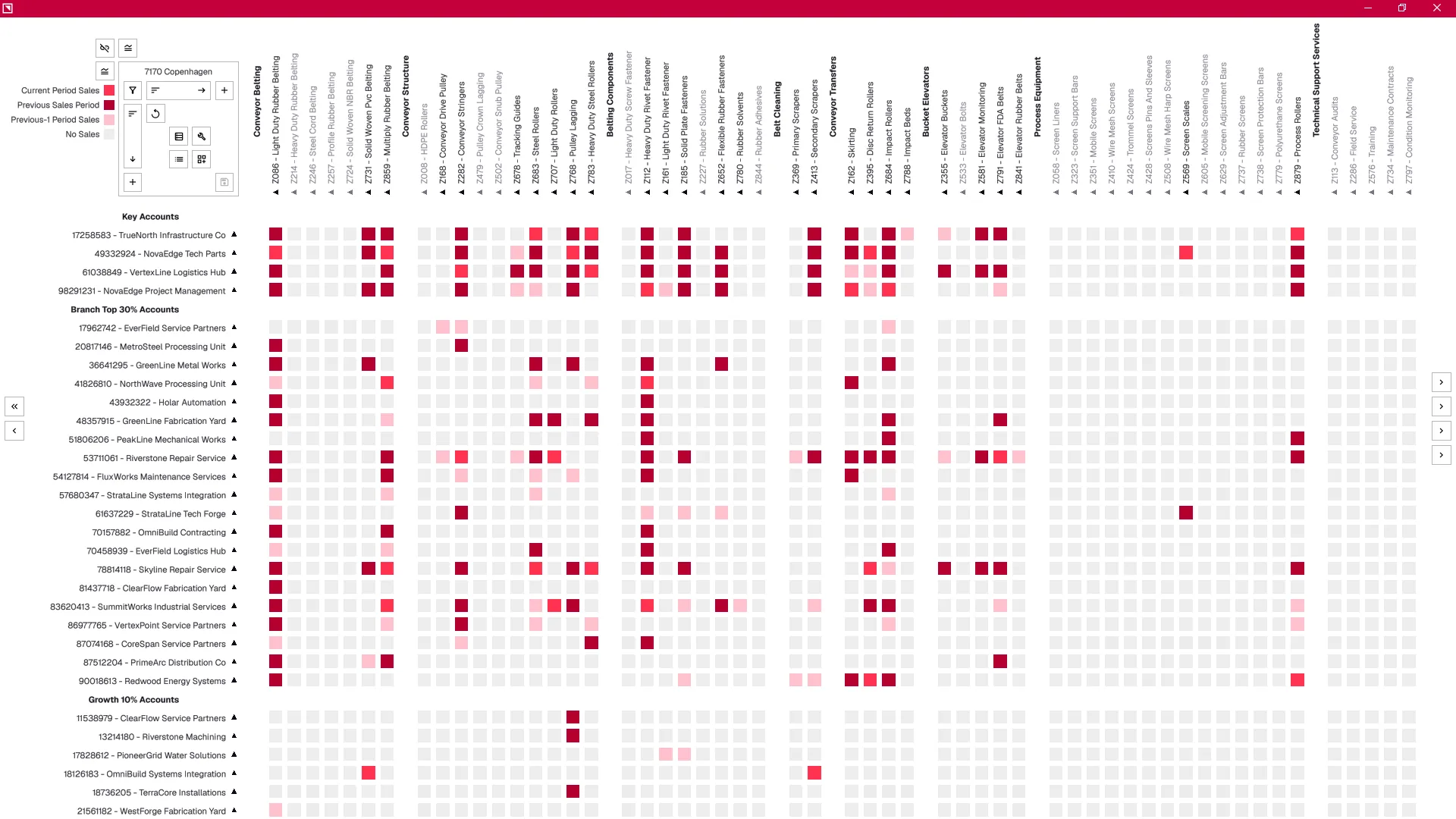
Map Account-Product grids and identify areas of revenue growth across every account in a single workspace. Filter data, and copy maps down to the sales rep level with global states and attributes.
Territory Planning
Turn Sales Data into Actionable Territories
Analyse historical revenue, margins, and product penetration across regions, hubs, and accounts. Build territory plans using nodes on a workspace directly from Account-Product grids.
Account Segmentation
Focus Effort where it delivers Results
Segment accounts based on sales data, and manually shift and assign segmentation attributes. Create Account-Product grids for each segmentation with individual maps for every sales rep.
Context Mapping
Connect Information to Execution
Add context maps to Account-Product grids at the sales rep level. Context maps define account relationships, product content, inbound signals, and any other information summarised in a matrix. The sales rep ensures all context is maintained and connected to the targeted accounts.
Sales Process
Move work through States, not Records
Execute account plans using flexible workflows built on decoupled Account-Product grids. Move opportunities, actions, and Account-Product relationships through defined states while maintaining complete visibility across the sales process.
Common questions
Where is my data stored?
Do I need an account?
How does the license key work?
How does collaboration work without a cloud?
What does Beta mean for my data?
Can I import from a spreadsheet?
Does Stateframe work on Mac?
Can I import data from Salesforce or HubSpot?
How do I get the map out of Stateframe - screenshot, export, or share?
Is Stateframe an alternative to a CRM?
Turn your Account-based Selling Plans
Into a Repeatable Sales Execution Process using Stateframe
Download. Review demo. Add your data.